
Why I gave the buyer and the seller different storyboards
The seller needs to know how to list a jacket. The buyer might want to ask about it before spending a penny. I had about fifteen seconds of film for each.
I was briefing short social films for a fashion marketplace. Sellers, shoppers, stylists and salons all had a place in the app. That was useful for the introduction. Try explaining all four in an Instagram story, though, and you’ve used most of your time before anybody has seen something they can do.
I gave the introduction a fairly loose job. A quick run through the app could tell people who it was for. For the other films I wanted to get close enough to the screen that someone could follow one person doing one thing.
If you have something to sell
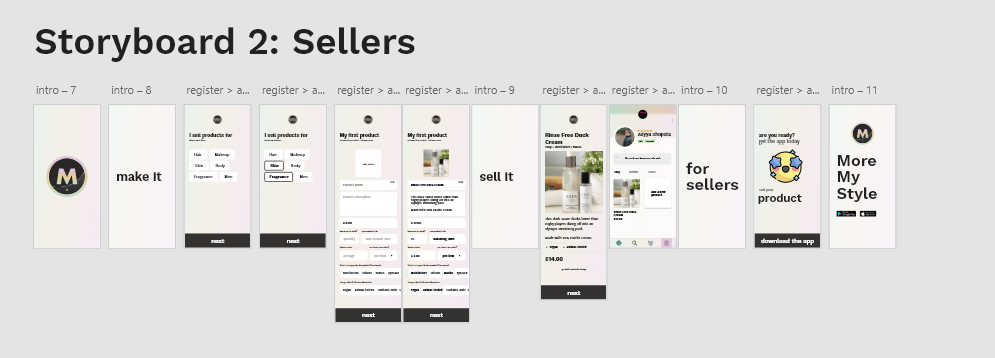
The seller’s board starts from the position of somebody who owns a product. They need to see how to get it listed and what it looks like once it’s there. I put the screens in that order in Adobe XD. A feature that looked good but didn’t move the listing along had little claim on those fifteen seconds.
If you’re the one spending the money
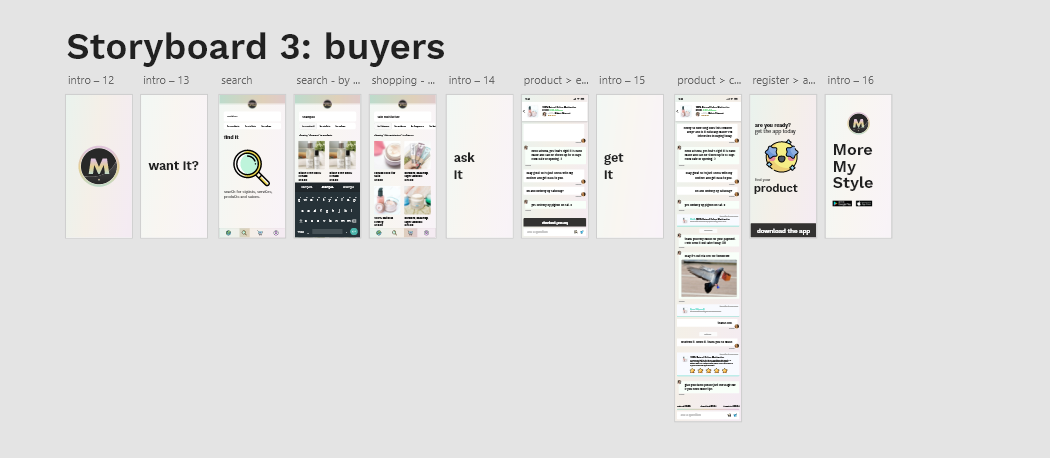
For the shopper I needed an extra beat. They can browse several sellers, find a piece they like and still have a question. I put chat between finding the item and buying it. The five-star review at the end is part of the storyboard I wrote for the film.
I handed over the editable artwork with a strip of frames for each brief. Put the two strips next to one another and you can see where the films part company. Just as the seller has finished getting their item onto the screen, the shopper’s questions are beginning.
 Available On-site or Remotely